
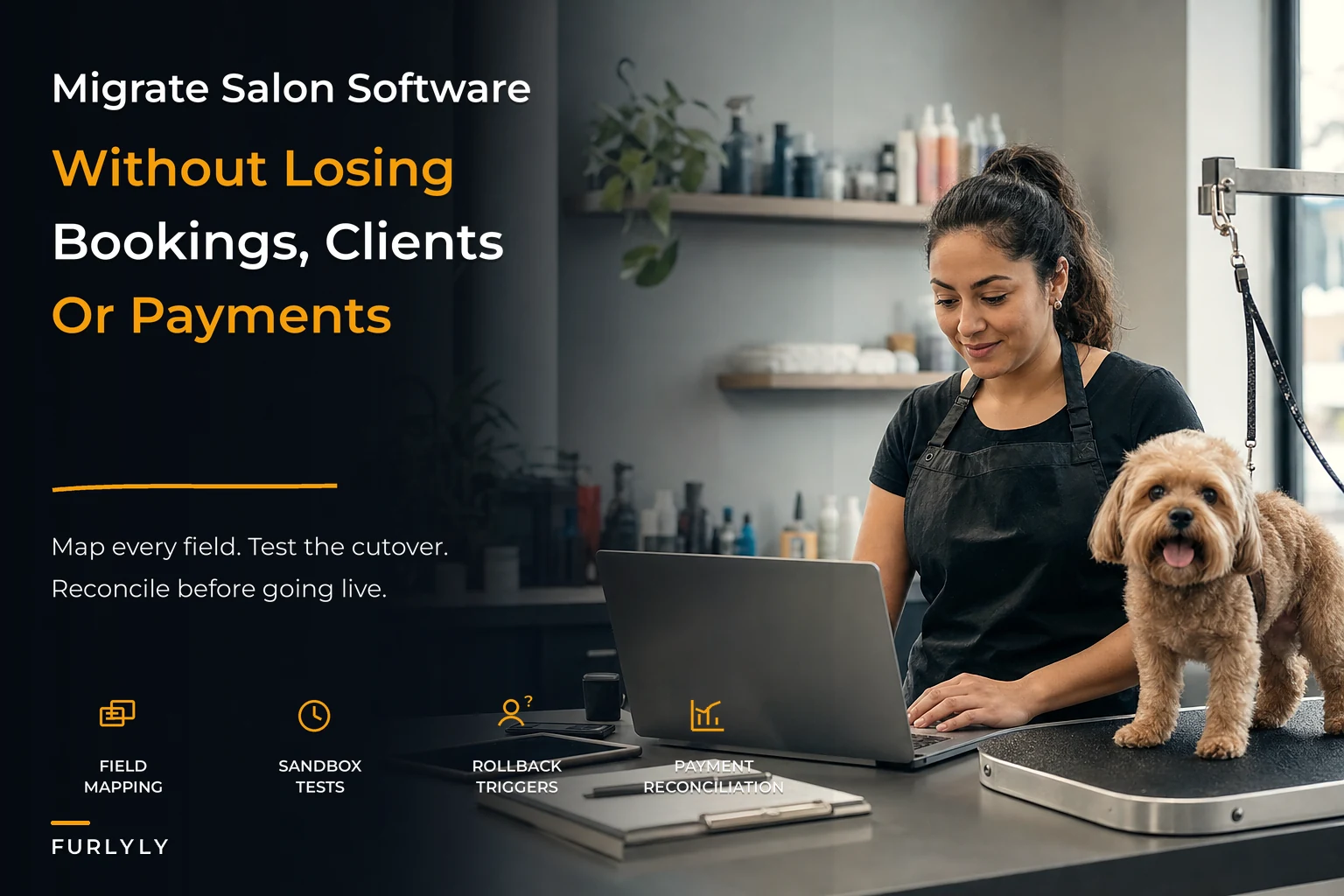

Switching booking and payment systems is the scariest operational project most grooming owners ever take on. Not because the software is hard to learn — but because the old system holds everything: years of client history, standing appointments, card tokens, package balances, breed notes, vaccination records. One bad import and you're explaining to a loyal customer why their 9am Tuesday slot disappeared and why you're asking for their card number again like they're brand new.
Most migrations that go sideways don't fail on the import itself. They fail because nobody mapped the fields carefully, nobody tested against real records, and nobody wrote down what would trigger a rollback. The owner trusts the vendor's "we'll handle the data transfer" line, flips the switch, and finds out on day three that recurring appointments didn't carry over and tip history is gone.
This is a working playbook — field mapping, sandbox tests, reconciliation, rollback triggers, and the customer messaging that actually fits a grooming booking flow. It's long because cutovers deserve to be.
Why grooming migrations break differently than other businesses
A restaurant migrating its POS mostly cares about menu items and payment processing. A grooming salon is carrying relationship data that took years to build, and most of it lives in free-text fields nobody ever standardized.
Think about what's actually stored per client: the dog's temperament notes, the "muzzle for nail trims" flag, the breed-specific cut the owner always requests, which groomer the dog tolerates, allergy warnings, matting history, and the card on file. In most legacy systems, half of that is buried in a "notes" blob rather than structured fields. When you migrate, structured data maps cleanly. Blobs don't. They land in the new system as one giant paragraph that nobody reads during intake — which is how a dog that needs sedation gets booked into a standard slot.
The second thing that breaks is recurring and future bookings. A salon with a decent rebooking rate might have 200–400 appointments already on the calendar stretching six to eight weeks out. Those are bookings clients already planned their schedules around. If your import grabs client records but not the forward calendar, you reopen Monday with an empty book and no idea who was supposed to come in.
Payment tokens are the third landmine, and the one owners underestimate most. Cards on file are not card numbers you own — they're tokens held by your payment processor. Whether those tokens move depends entirely on whether the old and new system use the same processor or support a token migration between them. Sometimes they port. Often they don't. If they don't, every card-on-file client has to re-enter payment details, and your pre-authorized no-show fees stop working overnight.
Because this data includes consent flags and retention-sensitive records, treat the migration as a chance to clean up what you're legally allowed to keep. If you haven't set field-level rules for what gets retained and purged, the companion work in Client Data Retention and Access Rules for Groomers pairs directly with this — migration is the right moment to drop stale records instead of hauling them into a clean system.
Build the field map before you touch anything
The field-level map is the document that saves you. It's a simple sheet, but building it forces you to look at every piece of data and decide where it goes. Do this before the vendor touches your account.
Never miss a grooming appointment again.
Furlyly helps you book, confirm, and manage every pet grooming appointment effortlessly.
- Unified appointment scheduling
- Automated client reminders
- Staff availability & shift management
No credit card required
Here's the core structure for the three domains that matter most.
| Domain | Legacy field | New system field | Transform / rule | Risk if wrong |
|---|---|---|---|---|
| Client | First + Last name | Client name | Split if combined; trim whitespace | Duplicate records |
| Client | Phone (various formats) | Mobile (E.164) | Normalize to +1XXXXXXXXXX | Reminders fail silently |
| Client | Email (consent flag) | Carry marketing opt-in separately | Spam complaints, legal exposure | |
| Pet | Breed (free text) | Breed (picklist) | Map to standardized list | Breed-time rules won't apply |
| Pet | Notes blob | Temperament, allergy, cut-style fields | Manual split required | Safety flags get missed |
| Pet | Vaccination date | Vax expiry (date) | Validate date format | Expired records pass intake |
| Booking | Future appointments | Calendar events | Must include groomer assignment | Empty calendar at go-live |
| Booking | Service name | Service catalog ID | Map old names to new catalog | Pricing mismatches |
| Payment | Card token | Processor token | Only if same/compatible processor | Lost cards on file |
| Payment | Tip history | Tip records | Often doesn't port | Payroll/reporting gaps |
Normalize phone numbers to E.164 during the mapping to avoid silent SMS reminder failures.
The row that trips people up is the notes blob. There's no clean automated transform. Someone on your team has to read through the high-value client notes and manually pull out the safety and preference flags into real fields. On a client list of 800–1,200 active dogs, budget a few focused afternoons for this. It's tedious. It's also the difference between a safe reopening and an incident.
Phone number formatting causes more silent failures than almost anything else. Legacy systems store numbers as (555) 123-4567, 555-123-4567, 5551234567, and worse. If your new system's SMS reminders expect a clean format and your import carries the messy versions, reminders quietly don't send. You won't get an error — you'll just see more no-shows a few weeks in and start wondering why. Normalize every phone number during the map.
Because this data includes consent flags and retention-sensitive records, treat the migration as a chance to clean up what you're legally allowed to keep. If you haven't set field-level rules for what gets retained and purged, the companion work in Client Data Retention and Access Rules for Groomers pairs directly with this — migration is the right moment to drop stale records instead of hauling them into a clean system.
Sandbox test steps that catch the real problems
Never run your first import against your live account. Every serious booking platform gives you a sandbox or test environment, or at minimum lets you import into a staging account. Use it.
The test sequence that actually surfaces problems:
-
Import a sample of 25–30 records you know by heart. Pick your most complicated clients — multi-pet households, the aggressive dog with sedation notes, the standing weekly appointment, the client with a package balance. If the hard ones map correctly, the easy ones will too.
-
Walk a full booking flow for each sample client. Pretend you're the front desk. Pull up the client, book a groom, apply the card on file, check that the breed-specific time and price auto-populate. Note anything that requires manual fixing.
-
Verify future appointments land on the right day, time, and groomer. Off-by-one date errors from timezone handling are shockingly common. Check that a Tuesday 9am is still Tuesday 9am, not Monday 2pm.
-
Test the reminder and confirmation send. Trigger a confirmation to a test number and confirm it actually arrives with correct client and pet names merged in. This is where phone-format problems reveal themselves. If you're rethinking your messaging cadence during the move anyway, the logic in Appointment Automation Architecture for Groomers is worth reviewing before you rebuild reminder sequences from scratch.
-
Run a dollar-for-dollar payment test. Charge a small amount to a test card through the new system, confirm it settles, confirm the tip splits correctly, confirm it shows up in reporting. Don't assume payments "just work."
-
Export from the new system and compare counts. Client count, future appointment count, active card-on-file count. The numbers from old and new should be within a tiny margin, and any gap needs explaining before go-live.
The mistake owners make here is testing only the happy path — a simple single-dog client with a clean record. Those always import fine. It's the messy records that break, so test the mess on purpose.
Reconciliation: proving the data actually moved
After the real import, before you announce anything, you reconcile. Reconciliation is matching counts and spot-checking values between the old and new systems. Skip it and you find out about gaps from angry clients instead of your own review.
Pull these counts from both systems and line them up:
-
Active client records (clients with a booking in the last 12–18 months)
-
Future booked appointments (every appointment dated after go-live)
-
Cards on file / active payment tokens
-
Open package or prepaid balances — dollar totals must match exactly
-
Vaccination records with valid future expiry dates
For anything financial — package balances, account credits, deposits held — the totals have to match to the dollar, not "close enough." A $15 gap means a record didn't move cleanly, and that one missing record could be a client who prepaid for six grooms.
Then do a random spot-check: pull 15–20 clients at random, open them in both systems side by side, and check that safety flags, preferred groomer, and notes survived. This catches quality problems that counts alone miss. Your future-appointment count can match perfectly while every safety flag silently got dumped into the wrong field.
A clean handoff between booking, payments, and your accounting records matters here too. If the migration throws off how your POS, payments, and books tie together, the reconciliation discipline in Sync POS, Booking, Payroll and Accounting for Small Salons covers how those pieces should reconcile after the dust settles.
Rollback triggers: decide the deal-breakers in advance
The hardest decision during a bad cutover is whether to push through or revert. If you make that call emotionally at 7am on go-live morning with a lobby full of dogs, you'll make it wrong. Write your rollback triggers down beforehand — the specific conditions that mean "abort and go back."
-
More than ~2% of future appointments are missing or mis-dated. Small gaps you can hand-fix. A systemic date error means the import logic is broken.
-
Card-on-file tokens didn't port and no fallback is ready. If you can't charge existing clients and have no plan to re-collect, that's a stop.
-
Package or prepaid balances don't reconcile and you can't explain the gap within an hour.
-
Safety flags (aggression, medical, sedation) failed to map into visible fields. This is a client-and-animal-safety trigger, full stop.
-
Payment processing fails the live test — charges don't settle or settle to the wrong account.
Keep the old system live and read-only for at least two to four weeks after cutover. Don't cancel the old subscription the day you flip over. That overlap is your insurance policy, and it's cheap compared to the cost of a failed migration you can't undo.
Who should NOT migrate right now
-
You're heading into your busiest stretch (pre-holiday grooming rush). Migrate in a slow period.
-
You don't have anyone who can own the field-mapping and reconciliation work for a week or two.
-
Your legacy data is so chaotic that you genuinely don't know which records are real — clean first, migrate second.
-
Your card tokens won't port and you haven't figured out how to re-collect payment info without alienating your best clients.
Timing matters more than most owners admit. A migration that goes fine in February can be a disaster in November.
A real scenario: a two-van, one-shop operation
A grooming business running a storefront plus two mobile vans — somewhere around 330–360 grooms a month — moved off an aging booking tool because it couldn't handle van routing. Their active client list was close to 900 dogs, with roughly 270 appointments already on the forward calendar.
Their first instinct was to let the new vendor "just import everything." The sandbox test killed that plan fast. During the 30-record test, they found breed data was free text (so the breed-time matrix wouldn't fire), temperament notes were buried in blobs, and the card tokens were held by a processor the new system didn't support.
So they slowed down. They spent about two afternoons splitting notes into real fields for their top 400 or so clients, mapped breeds to the new picklist, and — because tokens couldn't port — planned a card re-collection campaign instead of pretending the problem didn't exist.
Reconciliation after the real import showed 268 of 270 future appointments landed correctly. The two misses were a timezone quirk on early-morning van slots, fixed by hand in minutes. The card re-collection is where communication earned its keep. Instead of a scary "we need your card again" blast, they folded re-collection into normal confirmation messages over three weeks. By go-live week they'd recaptured cards for roughly 70% of active clients, and most of the rest came in naturally at their next appointment.
No lost standing appointments, no safety flag failures, and the old system stayed read-only for a month just in case. Nobody needed it — which is exactly the point.
Customer communication tuned to a grooming booking flow
Clients don't care that you changed software. They care whether their appointment is safe and whether you still know their dog. Your messaging should answer those two questions and nothing else.
What works, by phase:
-
Before cutover (stay quiet) Don't announce the migration broadly. Most clients never need to know. Over-communicating a backend change invites confusion and "did my appointment get cancelled?" calls you don't need.
-
If appointments are affected Message only the affected clients, name their specific appointment, and confirm it's intact. "Hi Dana — just confirming Bailey is still booked for Tuesday the 14th at 9am with Maria. Nothing's changed on your end." Specific beats generic every time.
-
If cards must be re-collected Frame it as convenience, not a demand, and ride it on top of normal confirmations. "To keep checkout quick, tap here to update Bailey's card on file before your next visit." Spread it across a couple of weeks so it never reads like a security scare.
-
If the booking URL changed Update your Google profile, website button, and any saved bookmarks the same day you cut over. A dead booking link is a silent revenue leak — clients hit a broken page and just don't rebook.
Mass "we've upgraded our systems!" broadcasts make clients nervous for no reason. Keep it targeted and specific.
The sequence that keeps it boring
Build field map → Sandbox test (hard records) → Real import → Reconcile counts + spot-check → Rollback check → Targeted client comms → Old system read-only (2–4 weeks)
A clean migration is a boring migration. Nothing dramatic happens because you handled the drama in planning.
Here's a simple workflow diagram of the sequence.
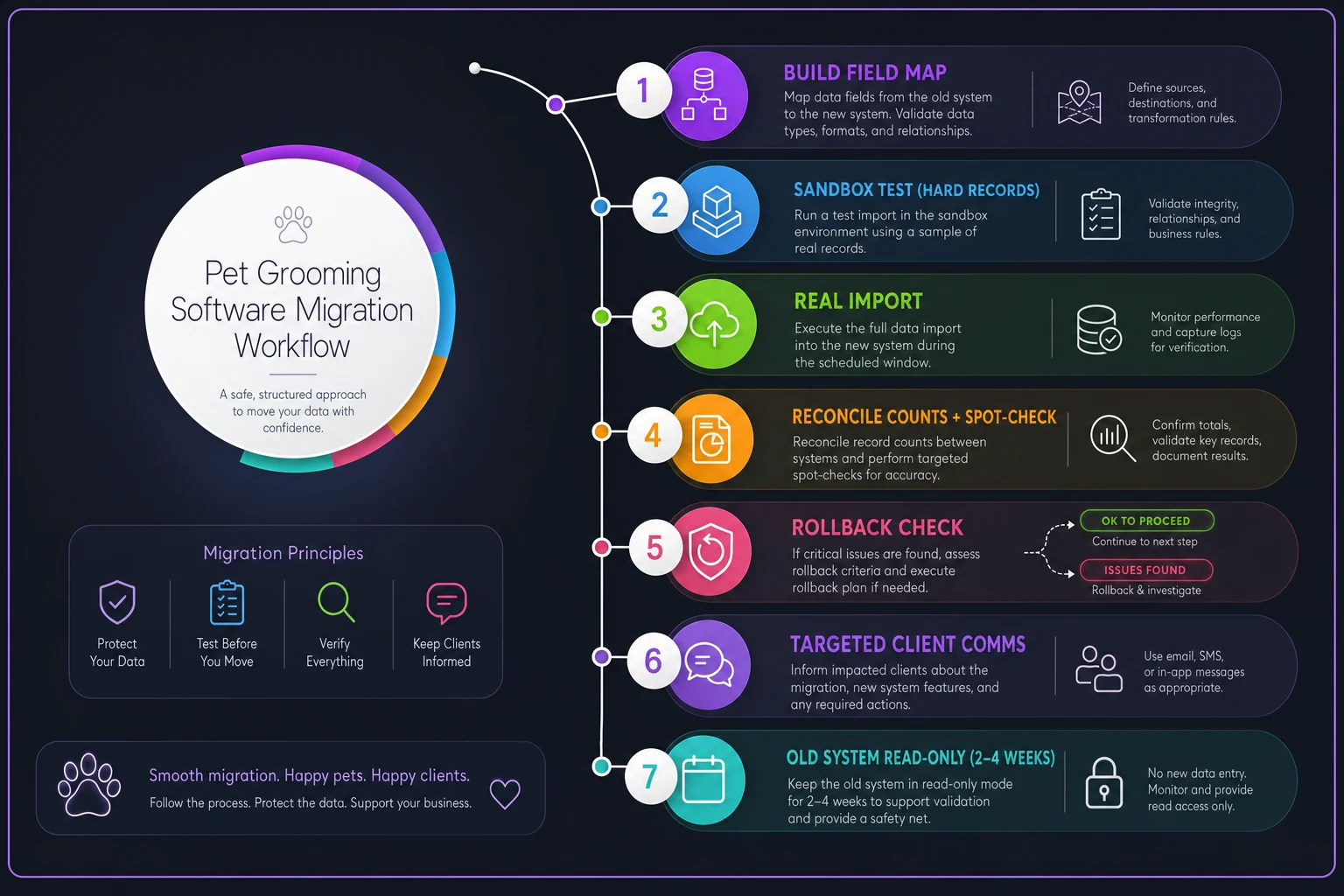
The order that gets you there:
-
Build the field map and clean your worst data.
-
Test 25–30 hard records in a sandbox and walk full booking and payment flows.
-
Run the real import in a slow window.
-
Reconcile counts and spot-check quality before announcing anything.
-
Check your rollback triggers honestly — push through or revert based on the rules, not the panic.
-
Communicate only what clients need, mostly to the few who are actually affected.
-
Keep the old system read-only for two to four weeks.
Do that, and the scariest project you'll take on this year turns into a quiet Tuesday where the only thing clients notice is that checkout got a little faster. The goal was never a flashy upgrade. It was moving years of trust and history from one system to another without dropping a single dog's appointment on the floor.
Do that, and the scariest project you'll take on this year turns into a quiet Tuesday where the only thing clients notice is that checkout got a little faster. The goal was never a flashy upgrade. It was moving years of trust and history from one system to another without dropping a single dog's appointment on the floor.
Ready to streamline your grooming business?
Join 500+ pet groomers using Furlyly to save time, reduce scheduling conflicts, and deliver exceptional client experiences.