
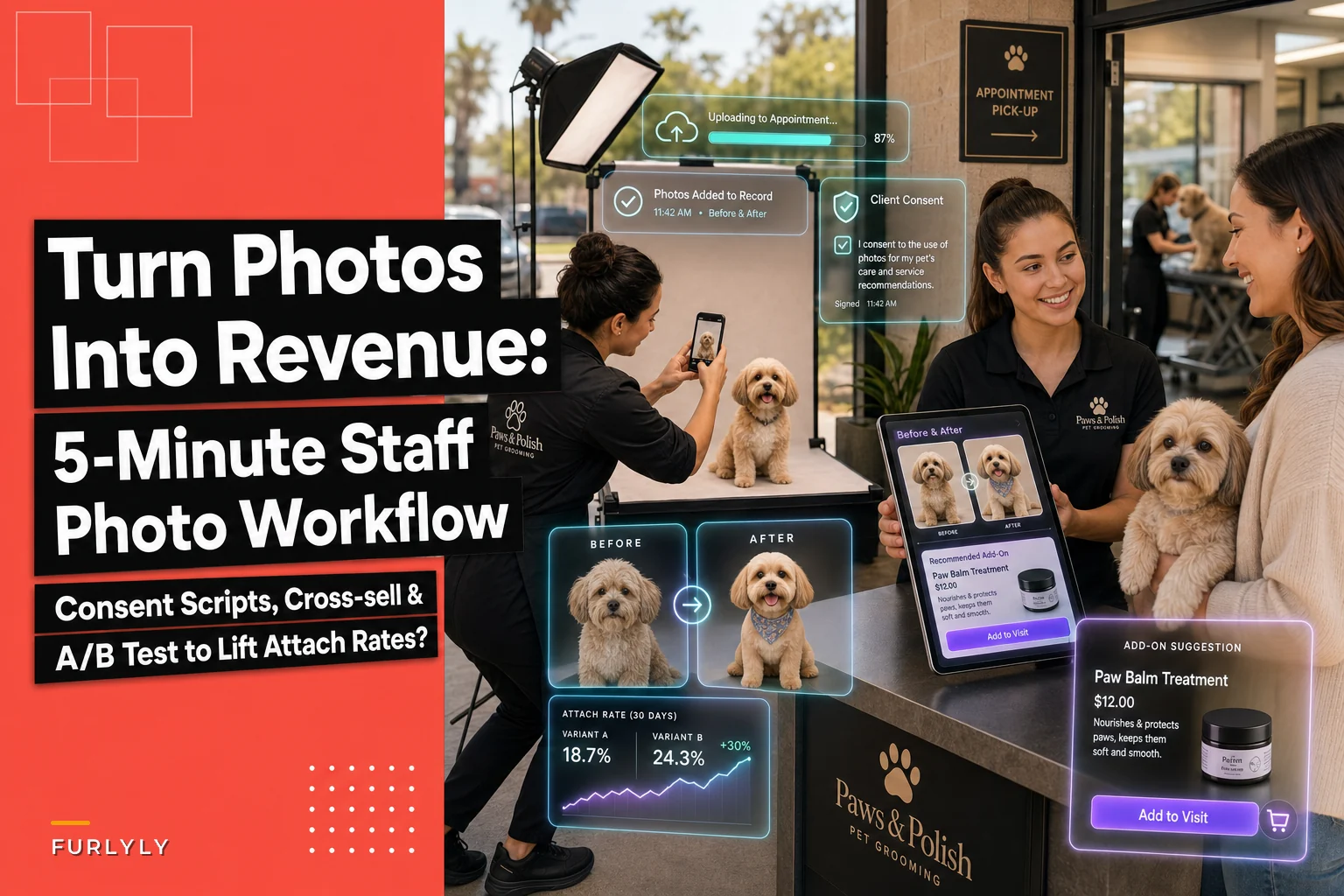

Most salons already take before/after photos. The problem is what happens to them. They sit in a camera roll, occasionally get posted to Instagram three days late, and almost never turn into a sale at the counter. The photo is proof of good work — but proof isn't a pitch.
The gap worth paying attention to: the moment a fresh, dramatic before/after image exists is the exact moment a client is most receptive to spending money. A matted, dull‑coated dog now looking bright and fluffy is a live advertisement for the de‑shed add‑on, the coat conditioner on your shelf, or the four‑week rebook. But by the time the photo gets used — if it ever does — that window is gone.
This is a workflow problem, not a talent problem. Your groomers aren't bad at selling. They just don't have a fast, boring, repeatable process to capture a usable image and tie it to a specific offer before the client walks out. So let's build that. Tight scope, staff‑facing, five minutes or less per pet.
Why good photos don't turn into sales
Walk into most salons and the before/after photo dies in one of three ways.
It's technically bad. Shot on a dark grooming table under yellow overhead lights, the "after" doesn't actually look better than the "before." Nobody's going to buy the $22 detangling spray because of a blurry, orange‑tinted photo.
It's captured but disconnected. The groomer takes a nice shot, but it lives on their personal phone. It never reaches the front desk in time for checkout, and it isn't attached to the client's record where anyone can act on it.
It's used for marketing but never for selling. The photo goes on social media for reach. Fine. But social reach and counter conversion are two completely different jobs. The image that gets 40 likes on Instagram never gets shown to the actual owner standing at the register with their card out.
The pattern underneath all three: photos are treated as a marketing afterthought instead of an operational trigger. When you flip that — when a photo becomes the cue for a specific, scripted offer — the same image starts producing revenue instead of just impressions.
The 5‑minute staff photo workflow
The whole point here is speed and consistency. If it takes more than a few minutes, groomers will skip it on busy days, which is exactly when you need it most. Here's the version that survives a Saturday with eight dogs back to back.
Never miss a grooming appointment again.
Furlyly helps you book, confirm, and manage every pet grooming appointment effortlessly.
- Unified appointment scheduling
- Automated client reminders
- Staff availability & shift management
No credit card required
Lighting: fix this once and forget it
-
Pick one wall or corner with the best available light and make it the official photo spot. Same spot every time so nobody has to think.
-
If natural light is decent, position the pet so the window is in front of them, not behind. Backlighting turns your dog into a silhouette.
-
If your salon runs dark (most do), add one daylight‑balanced LED panel (~5000K–5600K). A $40–$70 panel on a small stand solves most of your lighting problems. Avoid warm yellow bulbs — they make white coats look dingy.
-
Use a plain, mid‑tone background. A gray or soft blue wall reads better than clutter, cage banks, or a bright window behind the pet.
The thing most owners miss: the "before" and "after" have to be shot in the same spot with the same light. A good chunk of the perceived improvement is lighting consistency. If the before is dim and the after is bright, clients unconsciously discount it as a trick.
Mark the floor with tape so pets and groomers place the animal in the same spot for every shot.
Camera settings: keep phones dumb and consistent
-
Grid on. Center the pet's face on a gridline. Consistent framing makes the before/after comparison read instantly.
-
Tap to focus on the eyes, every time.
-
Turn HDR on — it evens out the bright/dark patches on multi‑colored coats.
-
No flash. On‑phone flash flattens the coat and creates harsh reflections. Use your LED panel instead.
-
Shoot the same two angles every time
a straight‑on head shot and a full‑body side profile. Two shots. Before and after. That's four images, done in under a minute of actual shooting.
The mistake worth avoiding: groomers get creative — different angles, different crops, artsy close‑ups. Creativity kills comparison. The value of a before/after is that they look identical except for the groom. Boring and identical wins.
Consent: script it so it's never awkward
> "We take quick before‑and‑after photos so you can see the transformation — and sometimes we love a groom enough to feature it. Are you okay with us using photos of your pet publicly, or just for your own records?"
Give them two clear checkboxes: Internal use only vs. OK to feature publicly. That distinction matters — plenty of clients are happy to see their own before/after at checkout but don't want their dog on your Instagram. Respecting that split builds trust and keeps you clean.
If you want a deeper structure for how photo consent, retention windows, and field‑level permissions should be handled in client records, that's its own operational topic worth getting right early.
Tie the photo to a specific offer — this is where money happens
The photo alone doesn't sell. The photo plus a matched offer at the right second sells.
The rule: every before/after should trigger one relevant cross‑sell, and that cross‑sell should be visible in the same moment the client sees the photo. Not a generic "want anything else?" — a specific offer that the photo itself justifies.
Match the offer to what the image shows:
| What the before/after shows | The offer it justifies | Where it lands |
|---|---|---|
| Heavy shedding / undercoat removed | De‑shed add‑on next visit + take‑home shed brush | Checkout, showing the pile of removed coat |
| Matting near clean | 4‑week rebook to prevent re‑matting | Checkout + rebook prompt |
| Dull → shiny coat | Coat conditioner / leave‑in spray (retail) | Counter, next to the register |
| Dirty ears / teeth improvement | Ear cleaner or dental add‑on | Checkout |
| Nails overgrown → trimmed | Nail maintenance mini‑visit between full grooms | Rebook prompt |
The messaging that works is short and photo‑anchored. At checkout, the front desk pulls up the before/after and says:
> "Look at how much undercoat came out — that's why he was shedding all over the house. The de‑shed treatment plus this brush keeps that from building up before the next appointment."
That's it. The photo did the persuading. The staff member just named the fix. This lands far better than a cold upsell script because the client is looking at their own dog and the evidence of the problem at the same time.
If you want the broader library of counter phrasing and when to deploy each line without slowing checkout down, the breakdown of experiment templates to lift your average ticket pairs well with this photo trigger approach.
The A/B test template: prove the lift, don't guess
A lot of owners spend energy debating whether this stuff "works." Stop debating and run a clean test. You want to know one thing: does showing the before/after at checkout raise the attach rate versus not showing it?
Keep the test simple enough that your team can run it without a data analyst.
How to run it
-
Pick your window. Two to four weeks, or until you hit around 150 grooms per group. Smaller salons should lean toward four weeks so the numbers actually mean something.
-
Split by day, not by groomer. Assign photo‑at‑checkout to certain days (Group A) and normal checkout to others (Group B). Splitting by day avoids one groomer's personality skewing the result.
-
Keep everything else identical. Same offers available, same prices, same staff. The only difference is whether the before/after is shown at the counter.
-
Log four numbers per group total grooms, grooms with an attach, total attach revenue, and average attach value.
-
Compare attach rate and attach value between the two groups.
A realistic outcome looks something like this:
-
Group B (no photo) ~150 grooms, ~24 attaches → 16% attach rate
-
Group A (photo shown) ~150 grooms, ~40 attaches → ~27% attach rate
That's an 11‑point lift. On a salon doing roughly 320–360 grooms a month, moving attach rate from 16% to 27% at an average add of around $18 is somewhere in the neighborhood of $600–$800 in extra monthly revenue from a workflow that costs you nothing but a light panel and two minutes per pet.
Your numbers will differ. That's the point of testing your own salon instead of trusting someone else's. What matters is that you get a real, defensible number instead of a hunch.
A few honest cautions on the test
-
Don't cherry‑pick days. If Group A lands on your busy weekends and Group B on dead Tuesdays, your test is garbage. Alternate.
-
Watch for staff behavior drift. Once your team knows they're being measured, some over‑pitch and annoy clients. Keep the script light. You want lift and retention.
-
A small sample lies. Thirty grooms per group won't tell you anything reliable. Be patient enough to hit real volume.
Be patient enough to hit real volume.
When this is worth it — and when it isn't
This makes sense when you already do decent grooms with visible before/after drama (double‑coated breeds, heavy mats, neglected coats), you sell at least a handful of retail items, and your checkout has a screen or tablet where a photo can be shown. That's most salons.
This is a bad idea when your consent process is sloppy or nonexistent — do not start photographing pets for public use without clean opt‑in on record. It's also weak if your "retail" is a dusty shelf of three products nobody wants. Before you lean on photo‑triggered cross‑sell, make sure the products behind the pitch are ones clients actually need. Tightening that shelf first (see the breakdown on SKU rationalization and par‑setting) makes every photo trigger convert better.
Skip it entirely if your groomers are already slammed past capacity and adding even two minutes per pet breaks the schedule. Fix capacity first. A photo workflow bolted onto an overbooked day just gets abandoned by week two.
A real scenario
A two‑groomer suburban salon doing around 300 grooms a month took before/after photos casually but never used them at the register. Attach rate hovered around 15%, mostly from clients who asked for products unprompted.
They set up one lit corner (around $55 for an LED panel), standardized two phone shots per pet, and added the consent checkbox to intake. At checkout, the front desk pulled up the before/after and named one matched offer — usually the de‑shed brush or a rebook.
Over about five weeks they ran the day‑split test. Attach rate on photo days climbed to roughly 26–28%. Not every offer landed, and a couple of clients clearly didn't want the pitch — the team learned to read that fast and back off. Net effect was a few hundred dollars a month in extra retail and add‑ons, plus a noticeable bump in four‑week rebooks because clients could see why the shorter interval mattered.
Nothing exotic. One light, two shots, one script, one clean test.
Where the tools quietly help
The reason most salons can't run this consistently isn't the photo — it's the plumbing. The image has to land on the client's record, be visible at checkout, and be tied to the right offer, all without the groomer texting photos from their personal phone.
Here's a simple flow showing how images attach to records and surface at checkout.
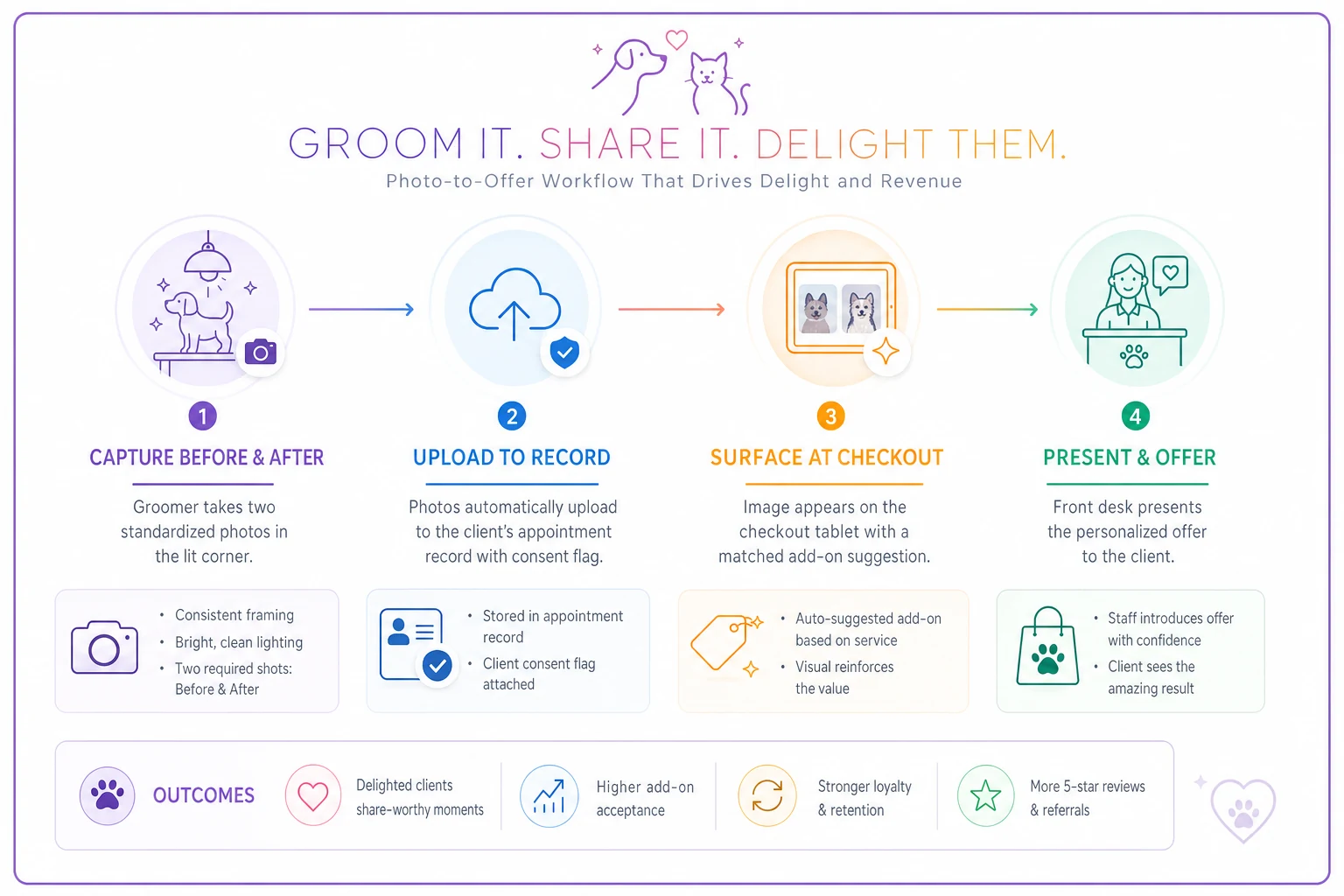
When before/after images attach directly to the appointment and surface at the register alongside a suggested add‑on, the workflow actually survives busy days. That's the difference between a nice idea and a habit — and it's the part worth building your system around, whether that's your booking platform's photo fields or a purpose‑built operational tool that keeps the image, the consent flag, and the offer in one place.
Start with the light and the script, though. The technology only pays off once the two‑minute habit is real. Get the corner lit, standardize the two shots, add the consent checkbox, run the day‑split test, and let your own attach numbers tell you whether it's working.
Ready to streamline your grooming business?
Join 500+ pet groomers using Furlyly to save time, reduce scheduling conflicts, and deliver exceptional client experiences.